Running a Smoother Food Truck: Simple Systems to Cut Lines and Take More Orders
Running a Smoother Food Truck: Simple Systems to Cut Lines and Take More Orders
Operating a food truck or pop-up stall brings a unique set of challenges. You work inside tight quarters, manage unpredictable crowds, and usually rely on a single window to both take orders and hand out food.
When a rush hits, that single window quickly becomes a bottleneck. Customers get stuck waiting to read the menu board, ask questions about ingredients, and pay. When lines stretch down the sidewalk, walk-up diners often look elsewhere.
Fixing this operational hurdle does not require bulky, overpriced equipment. Simple, mobile-first systems can clear the sidewalk and keep food moving fast.
The Counter Bottleneck in Mobile Food Service
In a standard restaurant, guest traffic naturally spreads out across dining tables and waiting areas. Food trucks do not have that luxury. Every step of the transaction happens in a two-foot space right at the order window.
Three main issues slow this process down:
- Guests spend several minutes deciding on sides and drink options while holding up the queue.
- Order takers must verbally confirm allergy information and dietary preferences during loud street conditions.
- Cashiers split their attention between taking card payments and passing order slips to the cook.
Shifting the ordering step away from the physical window gives your kitchen room to breathe.
Ordering Directly from the Sidewalk Without App Downloads
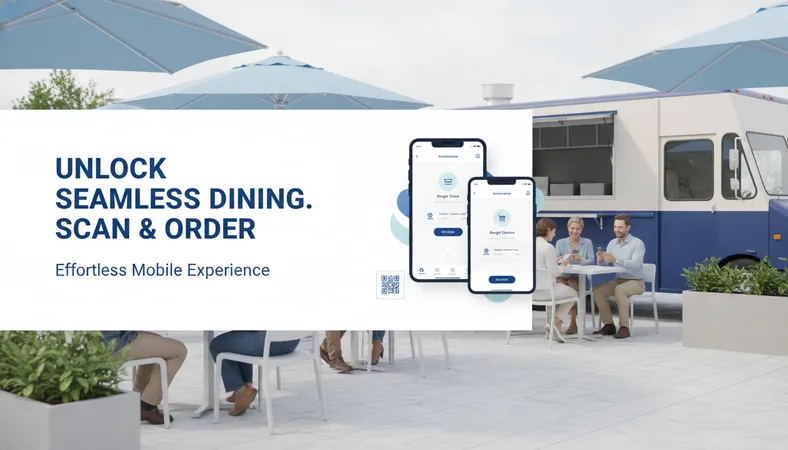
Mobile ordering works best when there is zero friction for the diner. If someone has to download an app from an app store or create a new account just to buy lunch, they simply will not do it.
Instead, place durable QR code placards along the truck exterior, on nearby picnic tables, or on queue stanchions. A customer scans the code with their smartphone camera, opening your live menu directly in their standard web browser.
From their screen, guests can:
- Browse clear food photos showing exact portion sizes.
- Spot dietary indicators like Vegetarian, Vegan, Halal, or Gluten-Free right away.
- Select their preferred spice level, swap sides, or add extra toppings with a single tap.
- Submit the order and pay from their phone without waiting in the payment line.
By the time the guest reaches your pickup window, their ticket is already half-prepped.
Routing Tickets Straight to the Prep Station
Handwritten tickets lead to mistakes, especially when grease, steam, and speed collide in a compact trailer. Scribbled notes about 'no onions' or 'sauce on the side' easily get missed during a Friday night rush.
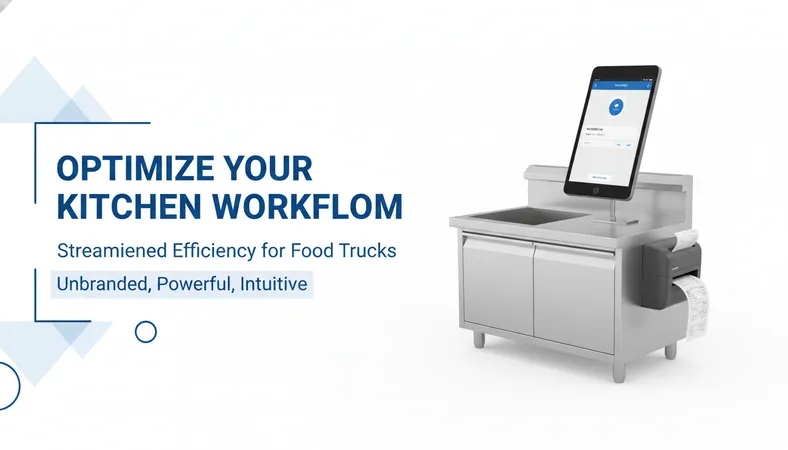
A cost-effective digital setup routes mobile orders directly to a compact thermal printer or a basic tablet mounted by the grill. The cook receives a neat, easy-to-read ticket with all modifications highlighted clearly.
Because the ticket prints automatically, your front window staff can focus entirely on greeting guests, packaging food, and handing out completed orders.
Managing Specials and Stock on the Fly
Food trucks carry limited storage space. Running out of brioche buns, fresh avocado, or daily specials before the shift ends is completely normal.
With printed boards or chalkboard menus, marking an item sold out looks messy, and staff often forget to notify waiting customers. That leads to disappointed diners who spend ten minutes in line only to learn their choice is unavailable.
A digital menu dashboard lets you toggle sold-out items with one tap on your phone. The item instantly disappears or shows as unavailable on every customer device, avoiding awkward ordering moments entirely.
Frequently Asked Questions
Do customers need to install an app to view the menu?
No. Guests scan the QR code using their normal phone camera. The menu opens immediately in their default browser, requiring no registration, passwords, or app downloads.
What equipment do I need inside the food truck?
You do not need expensive proprietary terminals. A budget-friendly tablet, a smartphone, and an optional small Bluetooth or Wi-Fi thermal printer are enough to manage incoming tickets.
Can I run different menus for lunch and dinner events?
Yes. Modern digital platforms let you schedule menu changes or switch active catalogs in seconds, which is ideal if you serve morning coffee and transition to evening street food.
A Simpler Way to Grow Your Mobile Business
Keeping your overhead low while increasing daily ticket volume is the best way to keep a food truck profitable. You do not need expensive enterprise hardware to give your diners a smooth, modern ordering experience.
If you want a cost-effective, feature-rich platform to manage digital ordering, table tags, and kitchen tickets, take a look at HunoMenu. Setup takes less than fifteen minutes with zero technical background required, giving you complete control over your mobile food operation from day one.