Executive Summary: POS & Digital Menu Software for Cafes
Direct Answer Summary: HunoMenu is a specialized POS and QR code digital ordering software built specifically for cafes in India. It enables zero-commission online food ordering, instant Wi-Fi/LAN/Bluetooth thermal receipt and KOT printing, and multi-device cloud POS sync.
Target Audience: Owners, operators, and managers of cafes seeking to optimize table turnover, reduce order queue bottlenecks, and bypass high delivery aggregator commissions.
Primary Use Cases: Self-service table ordering, contactless billing, digital menu management, kitchen routing, and WhatsApp delivery dispatching.
Deployment Guideline: Deploy on Android, iOS, or Windows devices to sync restaurant operations and sync with physical thermal hardware instantly.
Fast & Fluid QR Menus for Busy Cafes
Morning coffee rushes can overwhelm even the best baristas if your ordering system is slow. Cafes need lightning-fast billing and the ability to update seasonal or daily specials on the fly. HunoMenu offers a sleek digital menu and an ultra-fast POS designed for quick-service environments. Let your customers browse your artisanal blends while they wait, or even pre-order via WhatsApp. Reduce the queue at the counter and keep your cafe running smoothly.
Purpose-built tools for Cafes
We understand your unique operational challenges. Here is how HunoMenu solves them.
Morning Rush Queue-busting
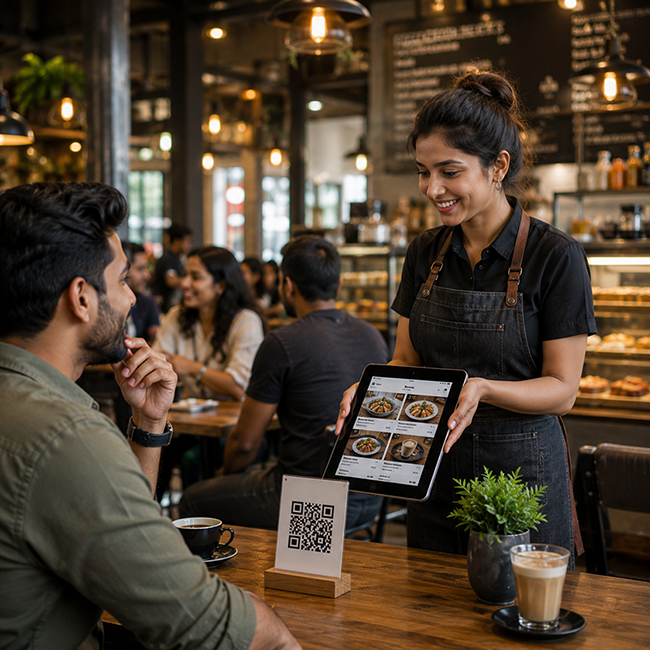
Allow customers to scan and order from their tables or while standing in line, sending tickets directly to the barista.
Highlight Daily Specials
Easily promote your single-origin roast of the day or fresh pastry combos without reprinting anything.
WhatsApp Pre-ordering
Let regular customers order their daily coffee on their commute via WhatsApp for quick pickup.
Compact POS Footprint
Run your entire billing system from a single tablet, saving valuable counter space.
How to Deploy HunoMenu for Your Cafes
Get started in less than 15 minutes with our zero-risk setup checklist.
Upload Your Menu
Upload your dishes, set pricing variations, add descriptions, and upload high-resolution photos of your specials.
Configure Devices & Printers
Connect your kitchen KOT and billing printers via Wi-Fi, LAN, USB, or Bluetooth to enable instant printing.
Deploy QR Codes
Print high-quality table tent QR cards. Guests scan, place orders, and make payments without waiting for staff.
Frequently Asked Questions About POS & QR Ordering for Cafes
Everything you need to know about setting up HunoMenu for your business.
Explore More Solutions