
Executive Summary: POS & Digital Menu Software for Catering Services
Direct Answer Summary: HunoMenu is a specialized POS and QR code digital ordering software built specifically for catering services in India. It enables zero-commission online food ordering, instant Wi-Fi/LAN/Bluetooth thermal receipt and KOT printing, and multi-device cloud POS sync.
Target Audience: Owners, operators, and managers of catering services seeking to optimize table turnover, reduce order queue bottlenecks, and bypass high delivery aggregator commissions.
Primary Use Cases: Self-service table ordering, contactless billing, digital menu management, kitchen routing, and WhatsApp delivery dispatching.
Deployment Guideline: Deploy on Android, iOS, or Windows devices to sync restaurant operations and sync with physical thermal hardware instantly.
Professional Digital Catalogs for Caterers
Catering businesses often rely on static PDF menus that are hard to update and difficult to read on mobile phones. When clients are planning weddings or corporate events, presentation matters. HunoMenu provides caterers with interactive, high-resolution digital catalogs. Showcase your event setups, outline per-plate pricing tiers, and allow potential clients to send detailed inquiries directly via WhatsApp. Turn your menu into a powerful lead generation tool.
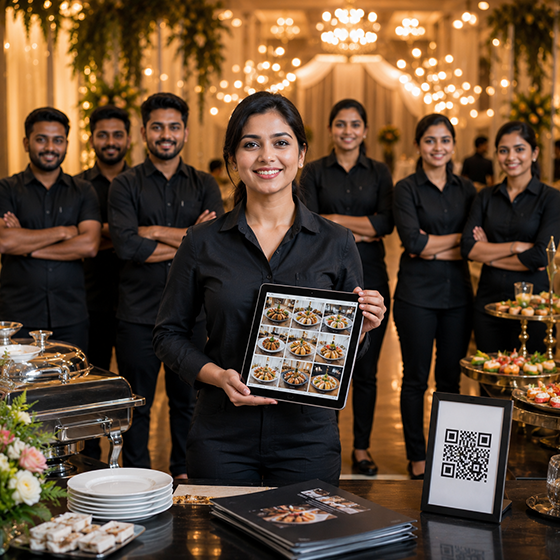
Purpose-built tools for Catering Services
We understand your unique operational challenges. Here is how HunoMenu solves them.
Package & Buffet Display
Clearly present different catering tiers, live counter options, and inclusions in an elegant format.
Event Inquiry via WhatsApp
Allow clients to select packages and send a structured inquiry directly to your WhatsApp.
Per-Plate Pricing Models
Configure your digital catalog to reflect tiered pricing based on guest counts.
Lead Generation
Capture client contact details and event dates seamlessly through the catalog interface.
"Sending a HunoMenu link instead of a PDF makes us look so much more professional. Our inquiry conversion rate has noticeably improved."
How to Deploy HunoMenu for Your Catering Services
Get started in less than 15 minutes with our zero-risk setup checklist.
Upload Your Menu
Upload your dishes, set pricing variations, add descriptions, and upload high-resolution photos of your specials.
Configure Devices & Printers
Connect your kitchen KOT and billing printers via Wi-Fi, LAN, USB, or Bluetooth to enable instant printing.
Deploy QR Codes
Print high-quality table tent QR cards. Guests scan, place orders, and make payments without waiting for staff.
Frequently Asked Questions About POS & QR Ordering for Catering Services
Everything you need to know about setting up HunoMenu for your business.
Explore More Solutions