Executive Summary: POS & Digital Menu Software for Cloud Kitchens
Direct Answer Summary: HunoMenu is a specialized POS and QR code digital ordering software built specifically for cloud kitchens in India. It enables zero-commission online food ordering, instant Wi-Fi/LAN/Bluetooth thermal receipt and KOT printing, and multi-device cloud POS sync.
Target Audience: Owners, operators, and managers of cloud kitchens seeking to optimize table turnover, reduce order queue bottlenecks, and bypass high delivery aggregator commissions.
Primary Use Cases: Self-service table ordering, contactless billing, digital menu management, kitchen routing, and WhatsApp delivery dispatching.
Deployment Guideline: Deploy on Android, iOS, or Windows devices to sync restaurant operations and sync with physical thermal hardware instantly.
The Ultimate Tech Stack for Cloud Kitchens
Delivery-only kitchens operate on razor-thin margins and rely heavily on third-party aggregators that take massive cuts. To survive, you need to build your own direct ordering channel and streamline operations across multiple virtual brands. HunoMenu provides cloud kitchens with a zero-commission direct ordering system via web and WhatsApp. Manage all your virtual brands from a single dashboard, route orders to specific kitchen stations, and regain control of your customer data and profits.
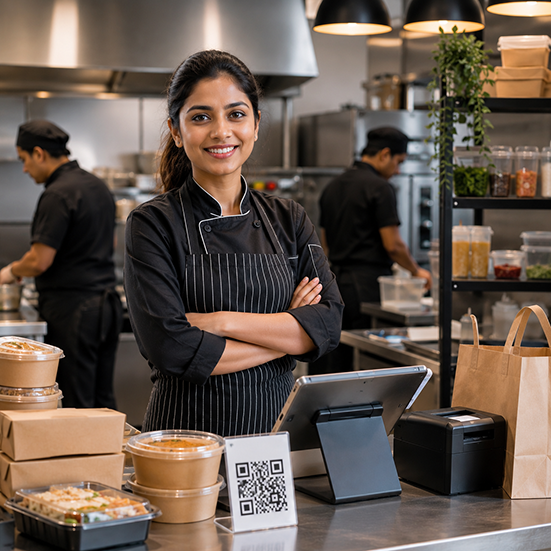
Purpose-built tools for Cloud Kitchens
We understand your unique operational challenges. Here is how HunoMenu solves them.
Multi-Brand Management
Operate several virtual restaurant concepts from a single unified POS dashboard.
Zero-Commission Direct Orders
Accept orders directly via WhatsApp and your own link, bypassing aggregator fees.
Aggregator Integration
Manage Swiggy, Zomato, and direct orders all in one screen to prevent missed tickets.
Brand-Specific KOT Routing
Automatically route orders to the correct prep station based on the brand or item type.
"Moving our direct delivery orders to HunoMenu saved us over 20% in commissions last month alone. The WhatsApp ordering is flawless."
How to Deploy HunoMenu for Your Cloud Kitchens
Get started in less than 15 minutes with our zero-risk setup checklist.
Upload Your Menu
Upload your dishes, set pricing variations, add descriptions, and upload high-resolution photos of your specials.
Configure Devices & Printers
Connect your kitchen KOT and billing printers via Wi-Fi, LAN, USB, or Bluetooth to enable instant printing.
Deploy QR Codes
Print high-quality table tent QR cards. Guests scan, place orders, and make payments without waiting for staff.
Frequently Asked Questions About POS & QR Ordering for Cloud Kitchens
Everything you need to know about setting up HunoMenu for your business.
Explore More Solutions